memoment editorial

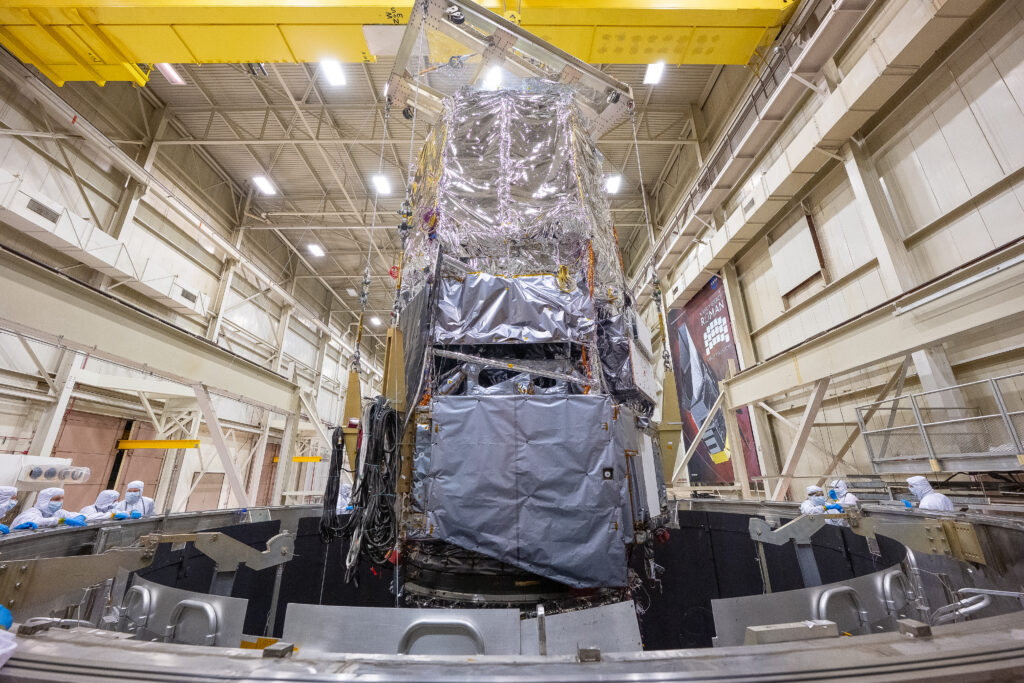
scipa lift out of ses chamber and air pad into ssdif 141

NASA’s Roman Observatory Passes Spate of Key Tests

NASA’s nearly complete Nancy Grace Roman Space Telescope has made another set of critical strides toward launch. This fall, the outer portion passed two tests — a shake test and an intense sound blast — to ensure its successful launch. The inner portion of the observatory underwent a major 65-day thermal vacuum test, showing that it will function properly in space. As NASA’s next flagship space telescope, Roman will address essential questions in the areas of dark energy, planets outside our solar system, and astrophysics.

“We want to make sure Roman will withstand our harshest environments,” said Rebecca Espina, a deputy test director at NASA’s Goddard Space Flight Center in Greenbelt, Maryland. “From a mechanical standpoint, our heaviest loads and stresses come from launch, so we use testing to mimic the launch environment.”
The vibration and acoustic testing were the final round of launch simulations for the outer portion of the Roman observatory, which consists of the outer barrel assembly, deployable aperture cover, and recently installed flight solar panels.
During acoustic testing, a large chamber with gigantic horns emulated the launch’s thunderous sounds, which cause high-frequency vibrations. Test operators outfitted the chamber and assembly with various sensors to monitor the hardware’s response to the sound, which gradually ramped up to a full minute at 138 decibels — louder than a jet plane’s takeoff at close range!
After moving to a massive shaker table, Roman’s outer assembly went through testing to replicate the rocket launch’s lower-frequency vibrations. Each individual test lasts only about a minute, sweeping from 5 to 50 hertz (the lowest note on a grand piano vibrates at 27.5 hertz), but NASA engineers tested three axes of movement over several weeks, breaking up the tests with on-the-spot data analysis.
Like in acoustic testing, the team installed sensors to capture the assembly’s response to the shaking. Structural analysts and test operators use this information not only to evaluate success but also to improve models and subsequent assessments.
“There’s a real sense of accomplishment when you get a piece of hardware this large through this test program,” said Shelly Conkey, lead structural analyst for this assembly at NASA Goddard. “I am proud of the work that our team of people has done.”

The core portion of the observatory (the telescope, instrument carrier, two instruments, and spacecraft bus) moved into the Space Environment Simulator test chamber at NASA Goddard in August. There, it was subjected to extreme temperatures to mimic the chill of space and heat from the Sun. A team of more than 200 people ran simulations continuously for more than two months straight, assessing the telescope’s optics and the assembly’s overall mission readiness.
“The thermal vacuum test marked the first time the telescope and instruments were used together,” said Dominic Benford, Roman’s program scientist at NASA Headquarters in Washington. “The next time we turn everything on will be when the observatory is in space!”

The team expects to connect Roman’s two major parts in November, resulting in a complete observatory by the end of the year. Following final tests, Roman will move to the launch site at NASA’s Kennedy Space Center in Florida for launch preparations in summer 2026. Roman remains on schedule for launch by May 2027, with the team aiming for as early as fall 2026.
The Nancy Grace Roman Space Telescope is managed at NASA’s Goddard Space Flight Center in Greenbelt, Maryland, with participation by NASA’s Jet Propulsion Laboratory in Southern California; Caltech/IPAC in Pasadena, California; the Space Telescope Science Institute in Baltimore; and a science team comprising scientists from various research institutions. The primary industrial partners are BAE Systems Inc. in Boulder, Colorado; L3Harris Technologies in Rochester, New York; and Teledyne Scientific & Imaging in Thousand Oaks, California.
For more information about the Roman Space Telescope, visit:
https://www.nasa.gov/roman
By Laine Havens and Ashley BalzerNASA’s Goddard Space Flight Center, Greenbelt, Md.
Media contact:
Claire AndreoliNASA’s Goddard Space Flight Center, Greenbelt, Md.301-286-1940

NASA’s Roman Observatory Passes Spate of Key Tests Read More »
1 google nest still sends data after remote control cutoff

Google Nest still sends data after remote control cutoff, researcher finds

NEWYou can now listen to Fox News articles!
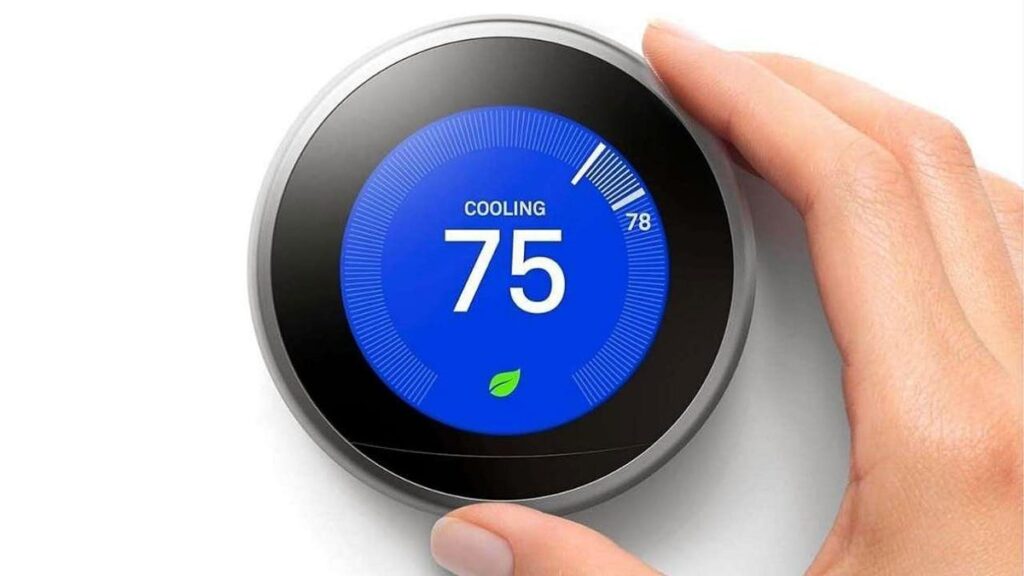
Google officially shut down remote control features for first and second generation Nest Learning Thermostats last month. Many owners assumed the devices would stop talking to Google once the company removed smart functions.New research, however, shows that these early Nest devices continue uploading detailed logs to Google even though support has ended.Sign up for my FREE CyberGuy Report Get my best tech tips, urgent security alerts and exclusive deals delivered straight to your inbox. Plus, you’ll get instant access to my Ultimate Scam Survival Guide — free when you join my CYBERGUY.COM newsletter. Early Nest Learning Thermostats still send sensor data to Google even after losing remote features. (Google)Researcher finds unexpected data uploads from old Nest devicesSecurity researcher Cody Kociemba uncovered this quiet data flow after digging into the backend as part of a repair bounty challenge run by FULU, a right-to-repair group cofounded by electronics repair expert and YouTuber Louis Rossmann. The challenge asked developers to restore lost smart features for unsupported Nest devices. Kociemba teamed up with the open-source community and created No Longer Evil, software that brings smart functionality back to these aging thermostats.While cloning Google’s API to build the project, he suddenly received a flood of logs from customer devices. That surprise led to a deeper look at what Google still collects. Researcher Cody Kociemba uncovered the ongoing data uploads while building a tool to restore smart functions. (Google)What Nest thermostats keep sending to GoogleEven though remote control no longer works, Kociemba found that early Nest Learning Thermostats still upload a steady stream of sensor data to Google. This includes:Manual temperature changesWhether someone is in the roomWhen sunlight hits the deviceTemperature readingsHumidity levelsMotion activityAmbient light dataKociemba says the volume of logs was extensive. He turned off the incoming data because he never expected the devices to remain connected to Google after the shutdown.Google previously said unsupported models will “continue to report logs for issue diagnostics.” However, Kociemba points out that Google cannot use that data to help customers anymore because support is fully discontinued. That makes the continued data flow even more puzzling.AI FLAW LEAKED GMAIL DATA BEFORE OPENAI PATCHCyberGuy contacted Google for comment, and a spokesperson provided us with the statement, “The Nest Learning Thermostat (1st and 2nd Gen) is no longer supported in the Nest and Home apps, but temperature and scheduling adjustments can still be made directly on the unit. These devices will soon be unpaired and removed from all user accounts. Diagnostic logs, which are not tied to a specific user account, will continue to be sent to Google for service and issue tracking. Users who prefer to stop providing these logs can simply disconnect their device from Wi-Fi via the on-device settings menu.”  The thermostats continue reporting temperature, motion and light data even though official support has ended.

Google Nest still sends data after remote control cutoff, researcher finds Read More »

image3 lunarhighlands

NASA Crater Detection Challenge

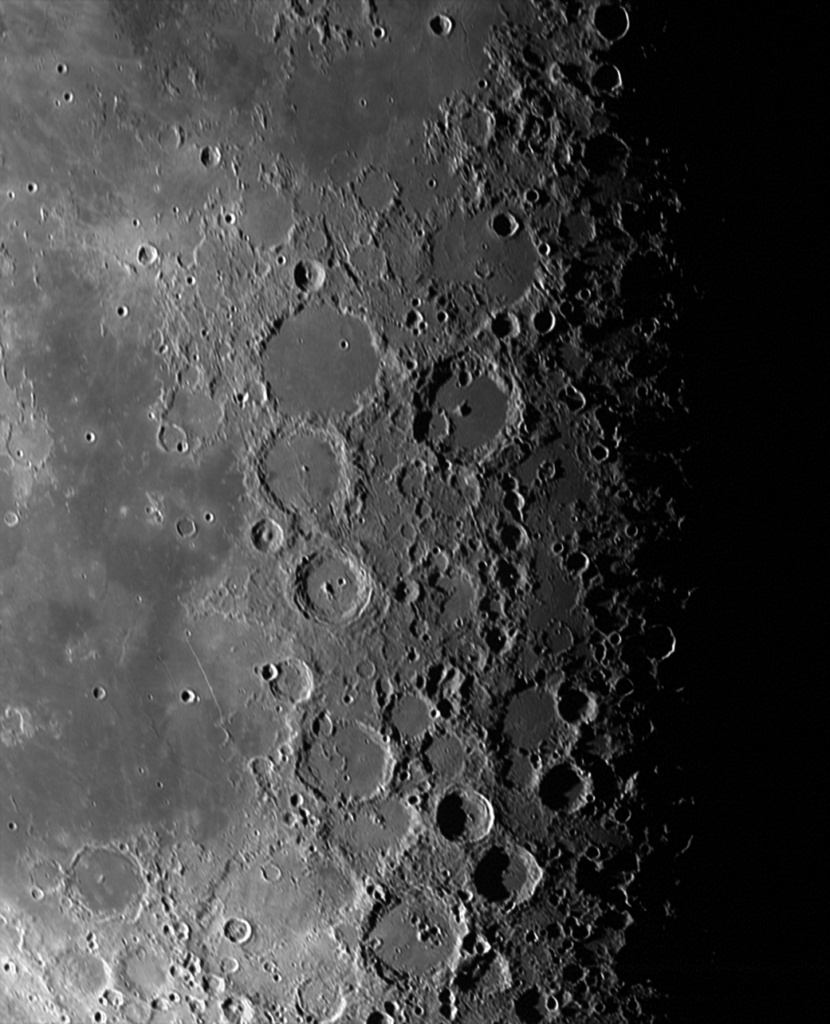
Crater rims are vital landmarks for planetary science and navigation. Yet detecting them in real imagery is tough, with shadows, lighting shifts, and broken edges obscuring their shape.
This project invites you to develop methods that can reliably fit ellipses to crater rims, helping advance future space exploration.
In the pursuit of next generation, terrain-based optical navigation, NASA is developing a system that will use a visible-light camera on a spacecraft to capture orbital images of lunar terrain and process the imagery to:

detect the crater rims in the images,
identify the craters from a catalog, and
estimate the camera/vehicle position based on the identified craters.

The focus of this project is the crater detection process.
Natural imagery varies significantly in lighting and will impact the completeness of crater rims in the images.
Award: $55,000 in total prizes
Open Date: November 25, 2025
Close Date: January 19, 2026
For more information, visit: https://www.topcoder.com/nasa-crater-detection

NASA Crater Detection Challenge Read More »

chapeamission2 crew

CHAPEA Crew Begins Stay Inside NASA’s Mars Habitat for Second Mission

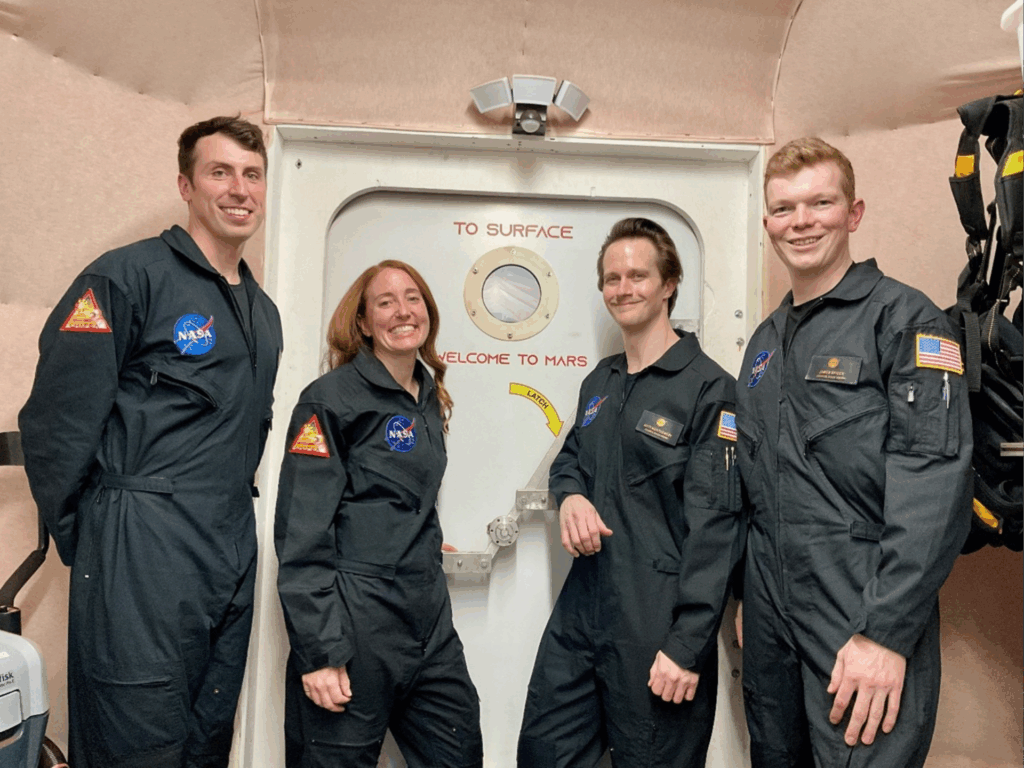
A crew of four research volunteers stepped inside NASA’s CHAPEA (Crew Health and Performance Exploration Analog) habitat on Oct. 19, marking the start of the agency’s second 378-day simulated Mars mission.
Ross Elder, Ellen Ellis, Matthew Montgomery, and James Spicer are living and working inside the roughly 1,700-square-foot 3D-printed habitat at the agency’s Johnson Space Center in Houston until Oct. 31, 2026.
“The information and lessons learned through CHAPEA will inform real-life mission planning, vehicle and surface habitat designs, and other resources NASA needs to support crew health and performance as we venture beyond low-Earth orbit,” said Sara Whiting, Human Research Program project scientist. “Through these lessons, NASA’s Human Research Program is reducing human health and performance risks of spaceflight to enable safe and successful crewed missions to the Moon, Mars, and beyond.”
The crew will face the challenges of a real Mars mission, and only leave to perform simulated “Marswalk” activities directly outside the habitat, wearing spacesuits, to traverse a simulated Mars environment filled with red sand. During these Marswalks, they will remain isolated within the building that houses CHAPEA at NASA Johnson.
“These crewmembers will help provide foundational data for mission planning and vehicle design and inform trades between resources, methods, and technologies that best support health and performance within the constraints of living on Mars,” said Grace Douglas, CHAPEA principal investigator. “The information gained from these simulated missions is critical to NASA’s goal of sending astronauts to explore Mars.”
During the year ahead, the crew will complete a variety of activities designed to replicate life and work on a long-duration mission on Mars, including high-tempo simulated Marswalks, robotic operations, habitat maintenance, physical exercise, and crop cultivation. The mission also aims to investigate how the crew adapts and responds to various environmental stressors that may arise during a real Martian mission, including limited access to resources, prolonged isolation, 22-minute communication delays, and equipment failures. Researchers will study how the team manages these conditions, which will inform future protocols and plans ahead of future crewed missions to Mars.
The first CHAPEA mission, which took place in the same habitat, concluded on July 6, 2024.

____

NASA’s Human Research Program

NASA’s Human Research Program pursues methods and technologies to support safe, productive human space travel. Through science conducted in laboratories, ground-based analogs, commercial missions, the International Space Station and Artemis missions, the program scrutinizes how spaceflight affects human bodies and behaviors. Such research drives the program’s quest to innovate ways that keep astronauts healthy and mission ready as human space exploration expands to the Moon, Mars, and beyond.

CHAPEA Crew Begins Stay Inside NASA’s Mars Habitat for Second Mission Read More »

1 how android malware lets thieves access your atm cash intro

How Android malware lets thieves access your ATM cash

NEWYou can now listen to Fox News articles!
Smartphone banking has made life easier, but it has also opened new opportunities for cybercriminals.Over the past few years, we have seen Android malware steal passwords, intercept OTPs and even take remote control of phones to drain accounts. Some scams focus on fake banking apps, while others rely on phishing messages that trick you into entering sensitive details.Security researchers have now discovered a new threat that goes a step further. Instead of simply stealing login information, this malware gives thieves the ability to walk up to an ATM and withdraw your money in real time.Sign up for my FREE CyberGuy Report Get my best tech tips, urgent security alerts and exclusive deals delivered straight to your inbox. Plus, you’ll get instant access to my Ultimate Scam Survival Guide — free when you join my CYBERGUY.COM newsletter. Android malware like NGate tricks users into downloading fake banking apps that steal sensitive data. (Kurt “CyberGuy” Knutsson)How the NGate malware worksThe Polish Computer Emergency Response Team (CERT Polska) discovered a new Android malware called NGate that uses NFC activity to access a victim’s bank account. This malware monitors contactless payment actions on the victim’s phone and forwards all transaction data, including the PIN, directly to a server controlled by attackers. It does not just copy card details. Instead, it waits until the victim taps to pay or performs a verification step, then captures the fresh, one-time authentication codes that modern Visa and Mastercard chips generate.To pull this off, attackers need to infect the phone first. They typically send phishing messages claiming there is a security problem with the victim’s bank account. These messages often push people to download a fake banking app from a non-official source. Once the victim installs it, the app walks them through fake verification prompts and requests permissions that allow it to read NFC activity. As soon as the victim taps their phone or enters their PIN, the malware captures everything the ATM needs to validate a withdrawal.MANAGE ANDROID APPS WITH THE NEW ‘UNINSTALL’ BUTTON Once installed, the malware captures NFC tap-to-pay codes and PINs the moment the victim uses their phone.  (Kurt “CyberGuy” Knutsson)What attackers do with the stolen data at the ATMThe attackers rely on speed. The one-time codes generated during an NFC transaction are valid for only a short period. As soon as the infected phone captures the data, the information is uploaded to the attacker’s server. An accomplice waits near an ATM, holding a device capable of emulating a contactless card. This could be another phone, a smartwatch or custom NFC hardware.When the data arrives, the accomplice presents the card-emulating device at the ATM. Since the information contains fresh, valid authentication codes and the correct PIN, the machine treats it like a real card. The ATM authorizes the withdrawal because everything appears to match a legitimate transaction. All of this happens without the criminal ever touching the victim’s physical card. Everything depends on timing, planning and getting the victim to unknowingly complete the transaction on their own phone. Criminals use the stolen, time-limited codes at an ATM to make real withdrawals without the victim’s card. (Kurt “CyberGuy” Knutsson)7 steps you can take to stay safe from Android NGate malwareAs attacks like NGate become more sophisticated, staying safe comes down to a mix of good digital habits and a few simple tools that protect your phone and your financial data.1) Download apps only from the Play StoreMost malicious banking apps spread through direct links sent in texts or emails. These links lead to APK files hosted on random servers. When you install apps only from the Play Store, you get Google’s built-in security checks. Play Protect regularly scans apps for malware and removes harmful ones from your device. However, it is important to note that Google Play Protect may not be enough. Historically, it isn’t 100% foolproof at removing all known malware from Android devices. Even if attackers send convincing messages, avoid installing anything from outside the official store. If your bank wants you to update an app, you will always find it on the Play Store.2) Use strong antivirus softwareOne careless tap on a fake bank alert can hand criminals everything they need. Strong antivirus software can stop most threats before they cause damage. It scans new downloads, blocks unsafe links and alerts you when an app behaves in ways that could expose your financial data. Many threats like NGate rely on fake banking apps, so having real-time scanning turned on gives you an early warning if something suspicious tries to install itself.Get my picks for the best 2025 antivirus protection winners for your Windows, Mac, Android and iOS devices at Cyberguy.com.ATM ‘JACKPOTTING’ CRIME WAVE GROWS AFTER THIEVES WALK AWAY WITH HUNDREDS OF THOUSANDS IN CASH3) Keep your device and apps updatedSecurity patches fix vulnerabilities that attackers use to hijack permission settings or read sensitive data. Updates also improve how Android monitors NFC and payment activity. Turn on automatic updates for both the operating system and apps, especially banking and payment apps. A fully updated device closes many of the holes that malware tries to exploit.4) Use a password manager to avoid phishing trapsPhishing attacks often direct you to fake websites or fake app login pages that look identical to the real thing. A password manager saves your credentials and fills them in only when the website or app is authentic. If it refuses to autofill, it is a clear sign that you are on a fake page. Consider using a password manager to generate and store complex passwords.Next, see if your email has been exposed in past breaches. Our No. 1 password manager pick includes a built-in breach scanner that checks whether your email address or passwords have appeared in known leaks. If you discover a match, immediately change any reused passwords and secure those accounts with new, unique credentials. Check out the best expert-reviewed password managers of 2025 at Cyberguy.com.5) Turn on two-factor authentication for all financial servicesTwo-factor authentication gives you a second layer of protection, even if your password is compromised. App-based authenticators are more secure than SMS codes because they cannot be intercepted as easily. For banking apps, enabling 2FA adds friction for attackers trying to perform unauthorized actions. Combined with strong passwords from a password manager, it significantly reduces the chance of account takeover.6) Ignore suspicious texts, emails and callsAttackers rely on urgency to trick you. They often claim that your card is blocked, your account is frozen, or a payment needs verification. These messages push you to act fast and install a fake app. Always pause and check your bank’s official channels. Contact the bank through verified customer care numbers or the official app. Never click links or open attachments in unsolicited messages, even if they look legitimate.7) Review app permissionsMost people install apps and forget about them. Over time, unused apps pile up with unnecessary permissions that increase risk. Open your phone’s permission settings and check what each app can access. If a simple tool asks for access to NFC, messages, or accessibility features, uninstall it. Attackers exploit these excessive permissions to monitor your activity or capture data without your knowledge.Kurt’s key takeawayCybercriminals are now combining social engineering with the secure hardware features inside modern payment systems. The malware does not break NFC security. Instead, it tricks you into performing a real transaction and steals the one-time codes at that moment. This makes the attack difficult to spot and even harder to reverse once the withdrawal goes through. The best defense is simple awareness. If a bank ever urges you to download an app from outside the Play Store, treat it as an immediate warning sign. Keeping your phone clean is now as important as keeping your physical card safe.Have you ever downloaded an app from outside the Play Store? Let us know by writing to us at Cyberguy.com.CLICK HERE TO DOWNLOAD THE FOX NEWS APPSign up for my FREE CyberGuy Report Get my best tech tips, urgent security alerts and exclusive deals delivered straight to your inbox. Plus, you’ll get instant access to my Ultimate Scam Survival Guide — free when you join my CYBERGUY.COM newsletter.Copyright 2025 CyberGuy.com.  All rights reserved.  

How Android malware lets thieves access your ATM cash Read More »

10df95e6 b886 48f3 a8e5 dd2e38b9a899 1539x1071

Inside the Pentagon’s Review of Christopher Mellon’s Alleged UFO Crash Retrieval Text

Christopher Mellon
A newly released set of Defense Department documents reveals how the Pentagon handled former Deputy Assistant Secretary of Defense for Intelligence Christopher Mellon’s request to publish a message he said referenced an alleged effort to exploit “recovered off-world technology.” The records also reveal that Mellon’s first attempt to submit the material was returned to him after a DOPSR employee deemed his three-page mailed package a “security threat,” a detail he did not disclose in his public article.
The documents, sent to The Black Vault under FOIA case 24-F-1134, include Mellon’s original submission to the Defense Office of Prepublication and Security Review (DOPSR), internal emails, coordination records, and the March 1, 2024 approval that cleared him to release the message.
The 17 pages released by the Office of the Secretary of Defense (OSD) document DOPSR’s handling of Mellon’s submission from January through March 2024. The records show repeated delays, escalating internal pressure, and direct involvement from the All-Domain Anomaly Resolution Office (AARO), which was tasked with coordinating on the review.Continue scrolling for more…

Mellon’s Submission: A Message Alleging Access to a Recovery Program
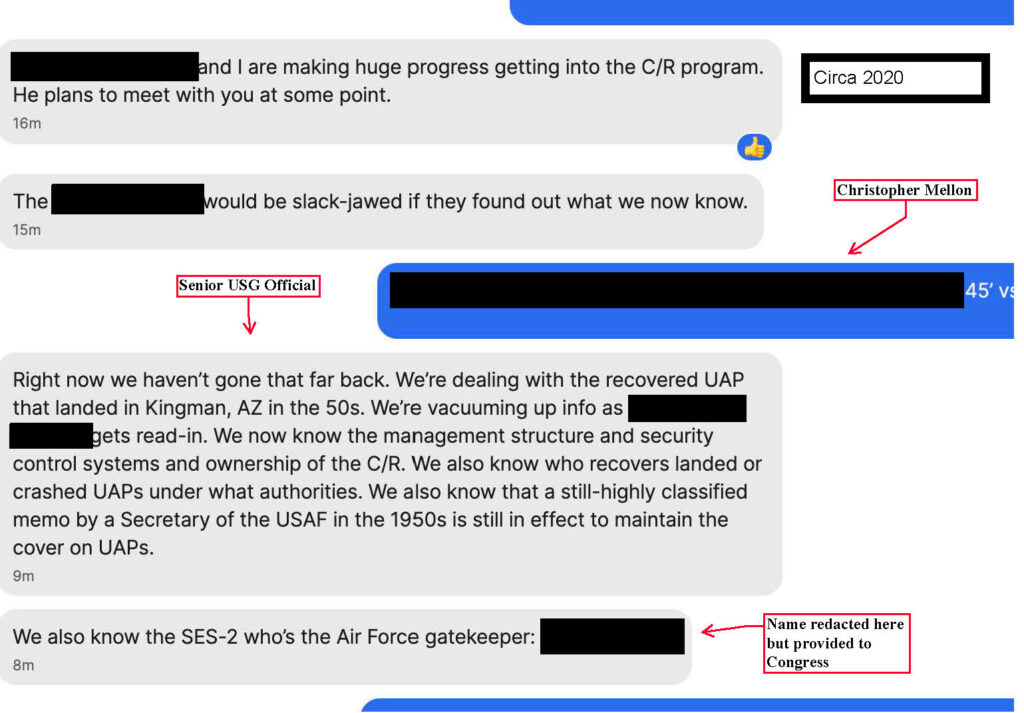
The FOIA file begins with Mellon’s January 19, 2024, email to DOPSR, in which he submitted the text message screenshot he later published publicly. Mellon wrote that he was seeking confirmation “to confirm it is not classified,” and noted that a submission mailed earlier had been returned “because some employee deemed it a security threat.”

The Signal message that Mr. Christopher Mellon released to the general public

The equivalent message, redacted by OSD using the “trade secrets and commercial or financial information obtained from a person that are privileged or confidential” (b)(4) exemption
In that letter, Mellon explained that the message was sent to him “some years ago” by a former DoD employee alleging they were “being read into a program involving the exploitation of recovered off-world technology”. Mellon also indicated he had “redacted the name of the alleged ‘gatekeeper’” and emphasized that he respected the confidentiality of the source.
He informed DOPSR that his intent in releasing the material was to show “why I have taken such extraordinary claims seriously,” but also  adding that he did “not have a position on the validity of the allegations” as he hears “credible claims, but also credible denials.”
Internal Confusion, Delays, and Pressure
The released emails show that by late February 2024, DOPSR was struggling to obtain required reviews from AARO and the Office of the Under Secretary of Defense for Intelligence and Security (I&S). On February 20, a DOPSR official wrote: “These cases need to be completed ASAP. Not only is DOPSR under a lot of pressure from [ redacted ], but [ redacted ] has complained publicly about how long reviews are taking and DOPSR is now receiving emails from ‘concerned citizens’ all around the world (including Norway) about the matter.” It goes on to state that, “Further delay is simply not ok.”

The delays also appear to reflect procedural issues. One email states that DOPSR staff were “attempting to assign down for USI review” because the system “isn’t currently cooperating,” while other messages note that AARO responses were “not there” from CATMS, the DoD’s coordination tracking system.
AARO and I&S Ultimately Approve the Release
Despite the coordination issues, both reviewing authorities ultimately issued “NO OBJECTION” determinations.

The released SD Form 403 shows the official worksheet signed on March 1, 2024. AARO’s confirmation, according to a memorandum for the record included in the FOIA release, states that “AARO response coordinated with his leadership and is for AARO.” I&S also returned a “NO OBJECTION as Received” notice on February 9, 2024.
The approval stamp, dated March 1, 2024, appears on the version later published by Mellon in April 2024, when Mellon published the message and an accompanying explanation. In it, he emphasized that he received the text years earlier from “a senior government official” who he said “had plausible access and was high-ranking,” and whose claim of access to a crash retrieval program was why he believed at least some allegations merited attention.
He also acknowledged that the sender later told him they were denied access to the alleged program and had not seen any recovered craft.
The newly released FOIA documents do not validate or contradict Mellon’s claims or the claims within the Signal messages. Instead, they reveal the internal pathway through which the Pentagon processed and ultimately approved his request to release the material.
While the content of the message Mellon sought to publish had already been public since April 2024, this FOIA release marks the first time the government’s internal handling of his submission has been documented.
###
Document Archive
FOIA Case 24-F-1134 Release Package [19 Pages, 2.5MB]

Follow The Black Vault on Social Media:

Inside the Pentagon’s Review of Christopher Mellon’s Alleged UFO Crash Retrieval Text Read More »

54811765168 6fe43916d5 o

City Lights and Atmospheric Glow

JAXA (Japan Aerospace Exploration Agency) astronaut Kimiya Yui captured this photo of southern Europe and the northwestern Mediterranean coast from the International Space Station as it orbited 261 miles above Earth on Aug. 30, 2025. At left, the Po Valley urban corridor in Italy shines with the metropolitan areas of Milan and Turin and their surrounding suburbs.
Crew members aboard the orbital lab have produced hundreds of thousands of images of the land, oceans, and atmosphere of Earth, and even of the Moon through Crew Earth Observations. Their photographs of Earth record how the planet changes over time due to human activity and natural events. This allows scientists to monitor disasters and direct response on the ground and study a number of phenomena, from the movement of glaciers to urban wildlife.
Image credit: JAXA/Kimiya Yui

City Lights and Atmospheric Glow Read More »

1 doordash data breach exposes user info

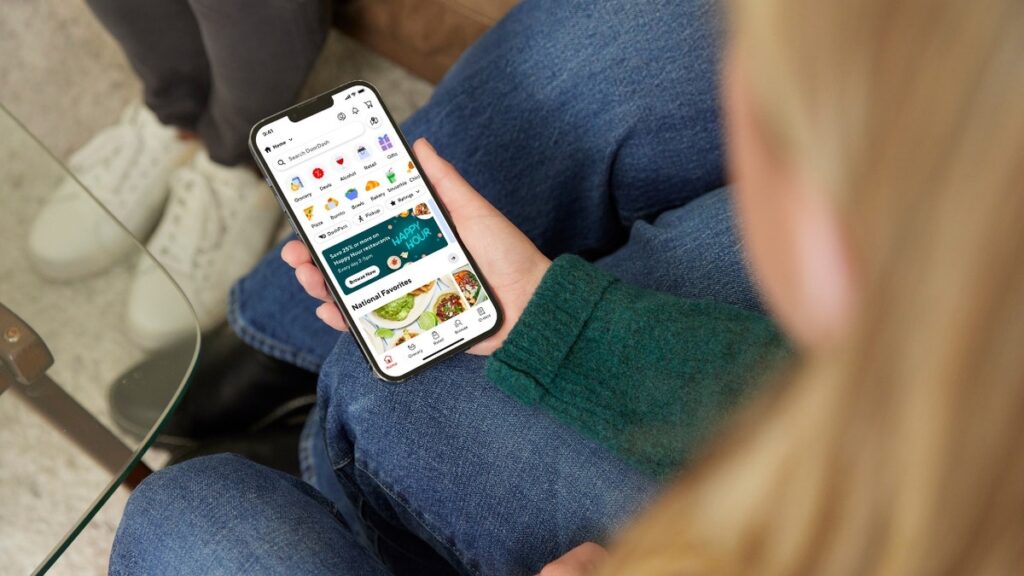
DoorDash breach exposes contact info for customers and workers

NEWYou can now listen to Fox News articles!
DoorDash confirmed a data breach that exposed personal details for a mix of customers, delivery workers and merchants. The stolen information included names, email addresses, phone numbers and physical addresses. The company said it has no evidence of fraud tied to the breach so far, but the event still raises concerns for anyone who uses the service.Sign up for my FREE CyberGuy ReportGet my best tech tips, urgent security alerts, and exclusive deals delivered straight to your inbox. Plus, you’ll get instant access to my Ultimate Scam Survival Guide — free when you join my CYBERGUY.COM newsletter. DoorDash says an employee fell for a social engineering scam that let an unauthorized party access basic contact information. (DoorDash)How the DoorDash breach happenedThe company traced the incident back to a social engineering attack. An employee fell for a lure that gave hackers access to DoorDash systems. Once the company spotted the breach, it shut down access, launched an investigation and notified law enforcement. DoorDash also directly notified users where required. The company confirmed the incident exposed names, email addresses, phone numbers and physical addresses for some people in its system. (DoorDash)Who was affected by the DoorDash breachDoorDash said the breach impacted a mix of users across its platform. That includes customers, delivery workers and merchants. CyberGuy reached out to DoorDash and a representative provided the following statement to us:”DoorDash recently identified and shut down a cybersecurity incident in which an unauthorized third party gained access to and took basic contact information for some users whose data is maintained by DoorDash. No sensitive information, such as Social Security numbers or other government-issued identification numbers, driver’s license information, or bank or payment card information, was accessed. The information accessed varied by individual and was limited to names, phone numbers, email addresses, and physical addresses. We have deployed enhanced security measures, implemented additional employee training, and engaged an external cybersecurity firm to support our ongoing investigation. For more information, please visit our Help Center.”LOOKING FOR A CHEAP CHEESEBURGER? 10 AMERICAN CITIES THAT DELIVER THE BEST MEAL DEALSIf you received an alert from the company, take steps to protect your information. If you use the app but did not get a notice, you should still follow the safety tips below because exposed contact information can lead to scams long after a breach. DoorDash says no sensitive information was accessed and investigators found no signs of fraud or identity theft tied to the breach. (DoorDash)How to protect yourself after the DoorDash breachEven though payment data stayed protected, exposed contact details can still open the door to scams. You can lower your risk with a few smart steps that keep your information safer online.1) Watch for phishing attemptsScammers move fast after a breach. They often send fake alerts that look like real DoorDash messages. These emails or texts may claim you need to verify your account or update your payment details. Delete any message that asks for personal information or urges you to click a link. When in doubt, go straight to the official app instead of trusting a message.2) Use a data removal serviceData brokers collect and resell personal details that scammers often exploit. A data removal service works to pull your information off those sites. This limits your exposure and makes it harder for criminals to target you. It is one of the easiest long-term steps you can take to protect your privacy.IS YOUR PHONE HACKED? HOW TO TELL AND WHAT TO DOWhile no service can guarantee the complete removal of your data from the internet, a data removal service is really a smart choice. They aren’t cheap, and neither is your privacy. These services do all the work for you by actively monitoring and systematically erasing your personal information from hundreds of websites. It’s what gives me peace of mind and has proven to be the most effective way to erase your personal data from the internet. By limiting the information available, you reduce the risk of scammers cross-referencing data from breaches with information they might find on the dark web, making it harder for them to target you.Check out my top picks for data removal services and get a free scan to find out if your personal information is already out on the web by visiting Cyberguy.com.Get a free scan to find out if your personal information is already out on the web: Cyberguy.com.3) Use strong passwords and a password managerStronger passwords give you better protection. Create unique passwords for every account so one breach cannot unlock your digital life. A password manager makes this easier by generating secure passwords and storing them safely. It also autofills them, so you spend less time typing.Next, see if your email has been exposed in past breaches. Our #1 password manager (see Cyberguy.com) pick includes a built-in breach scanner that checks whether your email address or passwords have appeared in known leaks. If you discover a match, immediately change any reused passwords and secure those accounts with new, unique credentials. Check out the best expert-reviewed password managers of 2025 at Cyberguy.com.4) Turn on multi-factor authenticationMulti-factor authentication (MFA) adds a simple barrier that blocks most break-in attempts. When you turn it on, you confirm each login with a code or app prompt. This keeps your account safe even if someone learns your password. Most major apps let you enable this setting in the Security section.5) Use strong antivirus protectionStrong antivirus software shields you from malicious links and downloads. It scans files in real time and warns you when something looks dangerous. This gives you an extra layer of defense against phishing attempts that try to install malware.The best way to safeguard yourself from malicious links that install malware, potentially accessing your private information, is to have strong antivirus software installed on all your devices. This protection can also alert you to phishing emails and ransomware scams, keeping your personal information and digital assets safe.Get my picks for the best 2025 antivirus protection winners for your Windows, Mac, Android & iOS devices at Cyberguy.com6) Review your account activityIt helps to check your DoorDash account for anything unusual. Look at your order history, saved addresses and payment methods. If something looks off, update your password and contact DoorDash support right away. Quick action can stop a small issue from turning into a bigger problem. Kurt’s key takeawaysA breach like this reminds us how quickly cybercriminals can exploit a single mistake. DoorDash moved fast to cut off access and confirm the damage, but exposed contact information can still create risks. Staying alert and using basic security habits can help you avoid trouble.CLICK HERE TO GET THE FOX NEWS APPWhat concerns you most about companies holding your personal information, and how would you like them to handle incidents like this? Let us know by writing to us at Cyberguy.comSign up for my FREE CyberGuy ReportGet my best tech tips, urgent security alerts, and exclusive deals delivered straight to your inbox. Plus, you’ll get instant access to my Ultimate Scam Survival Guide — free when you join my CYBERGUY.COM newsletter.Copyright 2025 CyberGuy.com.  All rights reserved.

DoorDash breach exposes contact info for customers and workers Read More »

1 how to stop google ai from scanning your gmail

How to stop Google AI from scanning your Gmail

NEWYou can now listen to Fox News articles!
Google shared a new update on November 5, confirming that Gemini Deep Research can now use context from your Gmail, Drive and Chat. This allows the AI to pull information from your messages, attachments and stored files to support your research.Some people view this as a convenience. They like the idea of faster answers and easier searches. If you feel that way, too, that is completely fine.However, many people do not want AI scanning private messages or personal documents. If that sounds like you, there is good news. You can turn these features off with a few quick taps in Gmail.Sign up for my FREE CyberGuy Report Get my best tech tips, urgent security alerts, and exclusive deals delivered straight to your inbox. Plus, you’ll get instant access to my Ultimate Scam Survival Guide — free when you join my CYBERGUY.COM newsletter.GOOGLE ISSUES WARNING ON FAKE VPN APPS Google’s new update allows Gemini to scan Gmail. These steps help you take control of your privacy. (Kurt “CyberGuy” Knutsson)Why this update mattersThis feature gives Google permission to scan every email in your Gmail account. That includes personal notes, financial documents, tax files and any sensitive information in your inbox. AI looks for patterns to improve responses, but Google says Gmail content is not used to train the Gemini model and that no user settings were changed automatically.  Google also says that Gmail, Docs and Sheets are not used for AI training unless you directly give Gemini that content yourself.While Google says the feature improves your experience, some users prefer more control. You may want privacy first and convenience second. If so, you can opt out today.GOOGLE CHROME AUTOFILL NOW HANDLES IDSHow to stop AI from scanning your GmailYou can turn this off directly in Gmail settings. Follow these steps:Open Gmail Open Gmail to start the process of turning off AI features. (Kurt “CyberGuy” Knutsson)Tap the gear icon in the top right Tap the gear icon to access your main Gmail settings. (Kurt “CyberGuy” Knutsson)Select See all settings Select See all settings to reach the full menu. (Kurt “CyberGuy” Knutsson)Scroll until you find Smart FeaturesTurn off Smart features by clicking it off. Scroll until you find Smart features and personalization.  (Kurt “CyberGuy” Knutsson)It will ask you to click “Turn off and reload.”  Turn off Smart features to reduce scanning across your inbox. (Kurt “CyberGuy” Knutsson)Now, scroll to Google Workspace smart features and click “Manage Workspace smart feature settings.” Go to Google Workspace smart features for the next control. (Kurt “CyberGuy” Knutsson)Turn off both checkboxes and then click Save.  Turn off both checkboxes to stop extra data scanning. (Kurt “CyberGuy” Knutsson)A pop-up will appear in the bottom left-hand corner of the screen that says “Your preferences have been saved.”  Watch for the confirmation pop up that tells you the changes are active. (Kurt “CyberGuy” Knutsson)Once you switch these off, Gmail stops scanning your messages for smart features or AI enhancements. This returns control to you.What happens when you turn it offAfter you disable these settings, features like smart email suggestions may stop working. That includes predictive text, automatic bill reminders and quick booking prompts. You can always turn them back on if you change your mind.Turning these off does not break Gmail. Your inbox works the same. You simply gain more privacy while you use it.Want a more private inbox?If you’d rather keep your email fully separate from AI features, you may want to consider a privacy-focused email service. They don’t scan your messages or use your inbox to train any systems. Everything stays private and encrypted.For people who want more control over their digital privacy, these private and secure email providers offer a straightforward way to keep email activity protected. They give you peace of mind knowing your messages aren’t being analyzed in the background.For recommendations on private and secure email providers, visit Cyberguy.com.Take my quiz: How safe is your online security?Think your devices and data are truly protected? Take this quick quiz to see where your digital habits stand. From passwords to Wi-Fi settings, you’ll get a personalized breakdown of what you’re doing right and what needs improvement. Take my Quiz here: Cyberguy.com.Kurt’s key takeawaysGoogle’s newest update blends convenience with automation. It can simplify research by tapping into your Gmail, Drive and Chat. Still, many people want a clear boundary between AI tools and personal messages. With a few quick steps, you can keep your inbox private without losing access to core Gmail features. Just keep in mind: Google says Gmail content isn’t used to train Gemini unless you explicitly give that content to the AI.CLICK HERE TO DOWNLOAD THE FOX NEWS APPDo you think AI tools should have access to your messages by default or should companies ask before scanning anything? Let us know by writing to us at Cyberguy.com.Sign up for my FREE CyberGuy Report Get my best tech tips, urgent security alerts, and exclusive deals delivered straight to your inbox. Plus, you’ll get instant access to my Ultimate Scam Survival Guide — free when you join my CYBERGUY.COM newsletter.Copyright 2025 CyberGuy.com. All rights reserved. 

How to stop Google AI from scanning your Gmail Read More »

iss072e035863medium

The Overview Effect: Astronaut Perspectives from 25 Years in Low Earth Orbit

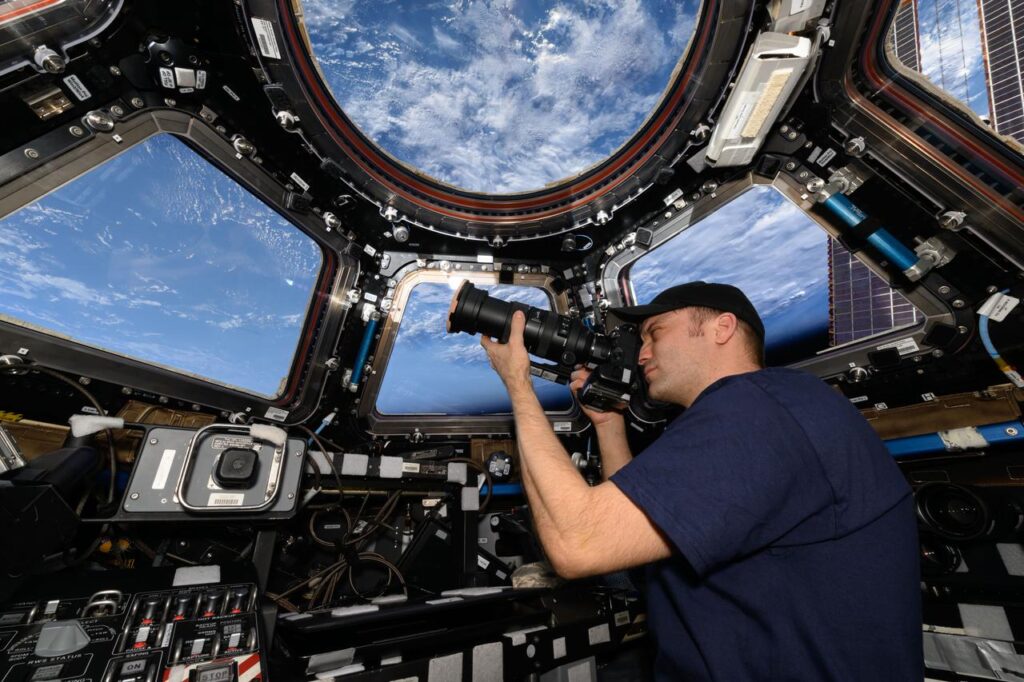
To see Earth from space is to be forever changed by the view. Since Alan Shepard became the first American to lay eyes on our home planet from above, countless NASA astronauts have described feeling awed by the astonishing sight and a profound shift in perspective that followed.This unique experience is known as the overview effect – a term coined in 1987 by space philosopher and author Frank White in a book of the same name. The phenomenon creates powerful changes in the way astronauts think about Earth and life and can be particularly strong for those who lived and worked aboard the International Space Station during its 25 years of continuous human presence. The orbiting laboratory’s cupola module, equipped with seven windows looking down on Earth, provides the perfect place for observation and reflection.

As Artemis II Mission Specialist Christina Koch explained:

“The overview effect is when you’re looking through the cupola and you see the Earth as it exists with the whole universe in the background. You see the thin blue line of the atmosphere, and then when you’re on the dark side of the Earth, you actually see this very thin green line that shows you where the atmosphere is. What you realize is every single person that you know is sustained and inside of that green line and everything else outside of it is completely inhospitable. You don’t see borders, you don’t see religious lines, you don’t see political boundaries. All you see is Earth and you see that we are way more alike than we are different.”

Koch’s Artemis II crewmate, NASA astronaut Victor Glover, said the overview effect’s potency is closely tied to the “sea level effect” – humanity’s shared experience on Earth. “You come back to sea level, and then you have a choice,” he explained. “Are you going to try to live your life a little differently? Are you going to really choose to be a member of this community of Earth?”

Many astronauts emphasize the importance of unity after experiencing the overview effect. “You see that it’s a single planet with a shared atmosphere. It’s our shared place in this universe,” said former NASA astronaut Bob Behnken. “I think that perspective, as we go through things like the pandemic or we see the challenges across our nation or across the world, we recognize that we all face them together.”

Seeing the Earth from space can also change their concept of home. Former NASA astronaut Nicole Stott recalls wanting to see her home state of Florida during her first mission to the International Space Station. “Finally, we were flying over Florida. I wanted to go to the window and see it, and then realized somewhere down the line that I wasn’t looking at Florida that same way anymore,” she said. “I still wanted to see Florida, but Florida had just become this special part of home, which is Earth. We’re all earthlings.”

For some astronauts, their perspective shift inspired them to make changes on the ground. “I think if you’re not a conservationist before you go to space, you’re at least partly a conservationist when you come back. Because when you see how thin that atmosphere is, that protective layer that we have here, you think, wow, we really have to take care of this because it does look so fragile from space,” said retired NASA astronaut Mike Foreman.

Others hope to share the overview effect with more people. “That perspective helps you grow. It has really inspired me to try to get more people this experience and to get a permanent foothold in the stars for our species,” said former NASA astronaut Jack Fischer. “I want to do everything I possibly can to help the human species, humanity as a whole, go further and grow and evolve like I know they’re capable of.”

Future crews to the orbiting laboratory can look forward to a similar experience. “In that instant, when you’re overwhelmed with that vista, when your eyes see nothing but the beauty of the Earth – every single crew member that I brought in [the cupola] for that exposure, cried,” said retired NASA astronaut T.J. Creamer. “It is heart stopping. It is soul pounding. It is breathtaking.”

For more astronaut perspectives from the International Space Station, watch “Down to Earth” on NASA+.

The Overview Effect: Astronaut Perspectives from 25 Years in Low Earth Orbit Read More »